Why I Built My Own Comic Studio
I’ve wanted to make a webcomic for a while now. Nothing fancy -just a cartoon version of me losing the little everyday battles we all lose 😅
The problem is I can’t draw… Like, at all
AI image generators take care of the drawing part just fine. What they don’t take care of, at least not out of the box, is the thing that makes a comic feel like a comic: your character has to look like the same person in every single panel. Any of these models can draw a bald guy with glasses and a beard. Getting one to draw the same bald guy, same beard, same glasses, same everything, forty times in a row? That’s a whole different story. While paying for a service to do this solves the problem I wanted a more local approach.
And honestly, that’s been this whole project in a nutshell -consistency.
My first swing at it, back in July 2026
I actually tried this back in July. Everything ran on my own graphics card with an open model called FLUX and I made up a character to star in it.
A couple of things surprised me. The first was how far plain words got me. I wrote one really specific sentence describing the character, kept the art style the same and he stayed pretty recognizable from picture to picture. I also tried training a LoRA on him (think of it as a little patch that teaches the model one specific face) and every attempt made things worse. Three tries, three worse results. Turns out a half-baked patch just ends up fighting a model that was doing fine on its own.
The second thing was something I later learned which was a little frustration, LoRA gets switched on by a trigger words you put in your prompt and I used my avatar’s name: curlyphries. Every single picture came back with a big head of curly hair. 🤦 The model saw “curly” and did exactly what it was told. Lesson learned -your trigger word should be total nonsense, something the model has never seen before.
That attempt eventually stalled out and the folder ended up in the trash. Quite literally. I didn’t even archive this project because of how frustrated I was.
So I built picgen
Fast forward to October and this time I started a lot simpler. All I wanted was a page I could pull up, type a prompt into and have my own graphics card draw it. That’s picgen.
Like most of my projects lately, I vibe coded it. I tell an AI coding agent what I want, look at what it spits out and keep going until it works. It runs on a server in my homelab and wakes up the image model on my GPU whenever I ask for a picture, then puts it back to sleep after a few quiet minutes so the card is free for everything else.
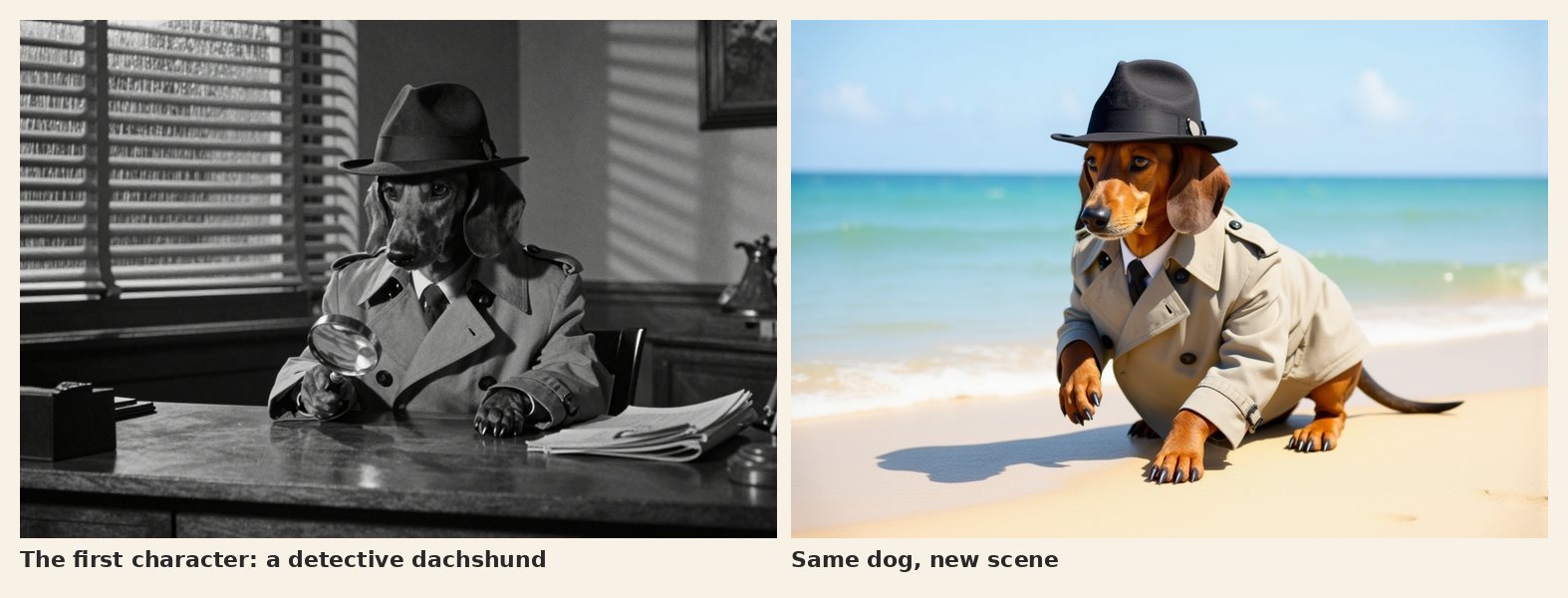
Before I trusted it with me, I tested it on a dog. A detective dachshund, then the same dog at the beach.
And then… well, it grew. Fast. 😄
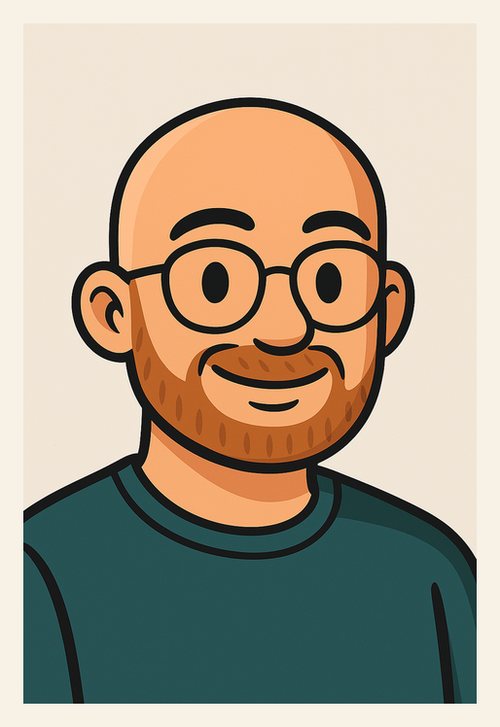
This is the reference. Every picture of “me” starts from this one cartoon avatar.
It all started with my avatar. I uploaded that one picture and basically told picgen “this is the guy,” so every picture of him starts from there. The model I was using at the time, FLUX Kontext, did a great job holding on to his face. The catch was that it held on to everything else too, pose included. My reference is a straight-on portrait, so when I asked for him to look back over his shoulder, guess what I got? Another straight-on portrait.
The fix for that was a character sheet. picgen draws 13 different views of him ahead of time -from the side, from behind, sitting down, walking, looking over his shoulder, that kind of thing- and when I ask for a picture, it grabs whichever view is closest to what I described and starts from that one instead. Ask for a look over the shoulder and now it actually starts from a look over the shoulder.
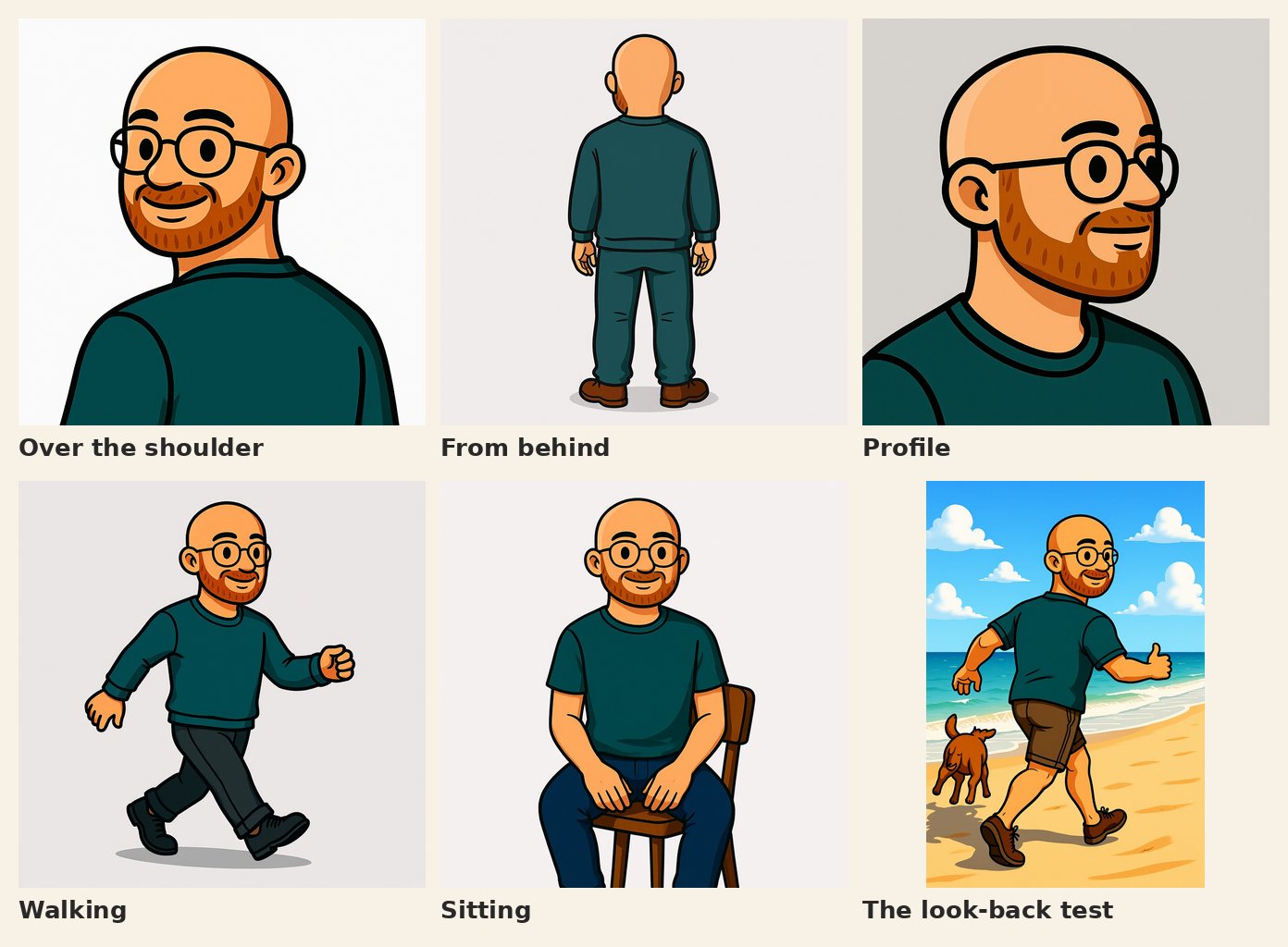
A few views from the character sheet. The last one is the look-back test, drawn from the over-the-shoulder view. (The dog was still a work in progress.)
Expressions were where I lost my patience. I had picgen draw a set of faces and they were and I’m quoting myself at two in the morning here, “horrible and useless.” The model just would not let go of the smile in my reference picture. Angry? Smiling. Sad? Smiling. Surprised? Still smiling. So I gave up on generating them, uploaded 62 expression panels I’d made somewhere else, and let picgen pick the right one based on the words in my prompt.
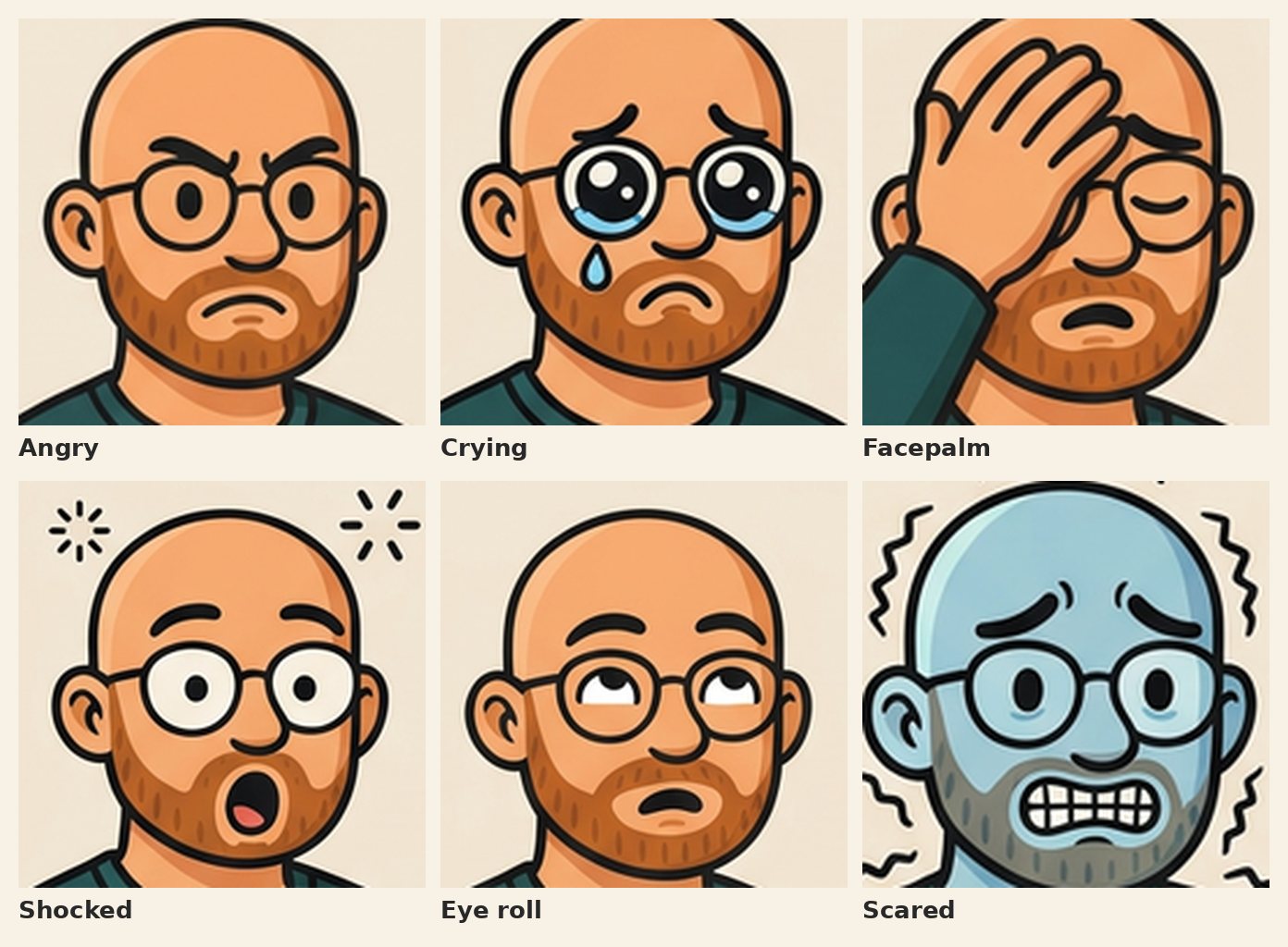
Six of the 62 expressions I uploaded. Notice that not one of them is smiling.
Once that worked I got a little carried away. If my character could borrow a face from a picture, why not a pose? Or an outfit? Or shoes, or a hat? So now there’s a shared library any character can pull from, and within two days it had 499 things in it.
With that many pieces lying around, something has to decide which ones to use, so the last piece was a planner. It reads my prompt and picks the character, a pose, a face and what he’s wearing -up to four reference pictures for one image. And before it spends any time drawing, it shows me the plan, something like “running pose, scared face, hoodie,” so I can catch a bad plan before it turns into a bad picture.
The planner’s greatest hits
Now, matching words to pictures sounds simple enough. It’s not 😂 A few of my favorites:
- I wrote “facing the camera” and it handed me a digital camera.
- “A quiet city street” got me the “shush” face.
- “Sweat on his brow” put me in sweatpants.
- “A dog playing in the background” had me playing an acoustic guitar… in a picture where I was supposed to be chopping logs.
- And “gets scared and runs away” drew me calmly strolling, because the rule for walking also matched running.
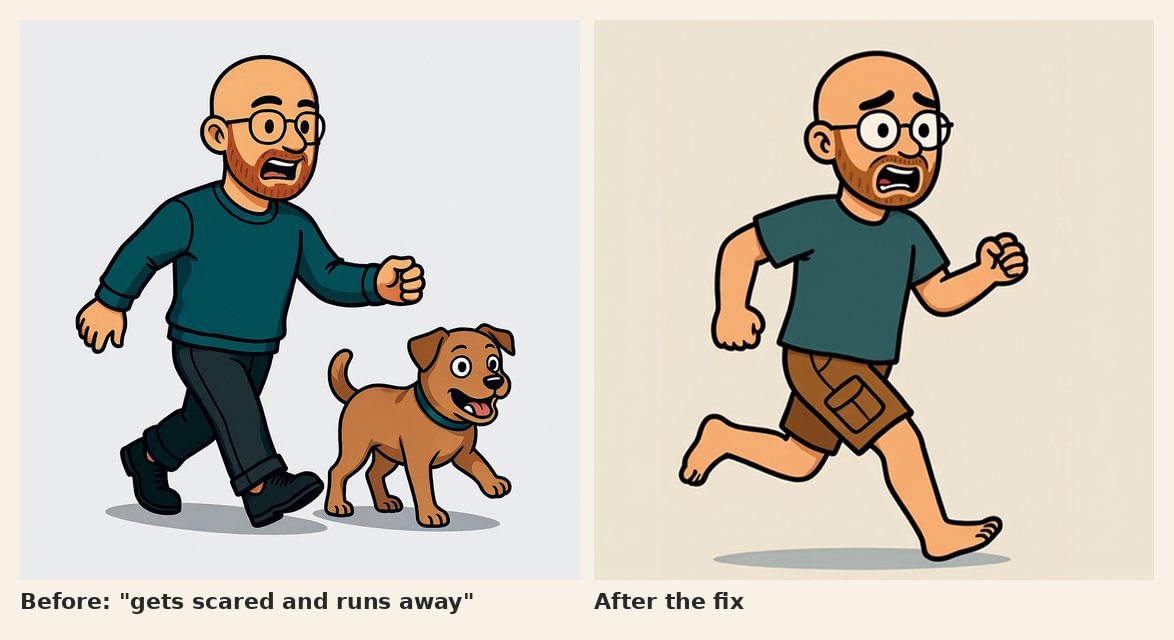
“Gets scared and runs away,” before and after the fix. Apparently a brisk walk counts as running away.
Every one of those turned into a fix of some kind. Then I had the whole thing audited -twice- and the first pass turned up 23 real bugs, a couple of them genuinely scary. Building fast is a lot of fun. Building fast and then actually checking your work is how you keep the fun from biting you.
Where it landed
By the end of that first week picgen had turned into a real studio. It does text to image, recurring characters, the planner, editing, a “magic erase,” and it has an API so my own scripts can drive it. It’s open source too, if you want to poke around: github.com/curlyphries/picgen.
But “it can draw my character doing just about anything” came with a pretty big asterisk. Some pictures were just plain wrong (at one point he had three hands), and hitting regenerate felt like pulling a slot machine. So the next question was, how do you tell a picture generator it got something wrong… and actually have that stick?
That’s something worth talking about… 🙂